




Published in Guides
How to add WhatsApp to your website: from a wa.me link to a team chat widget

By Lyle Timotheus · 9 min read
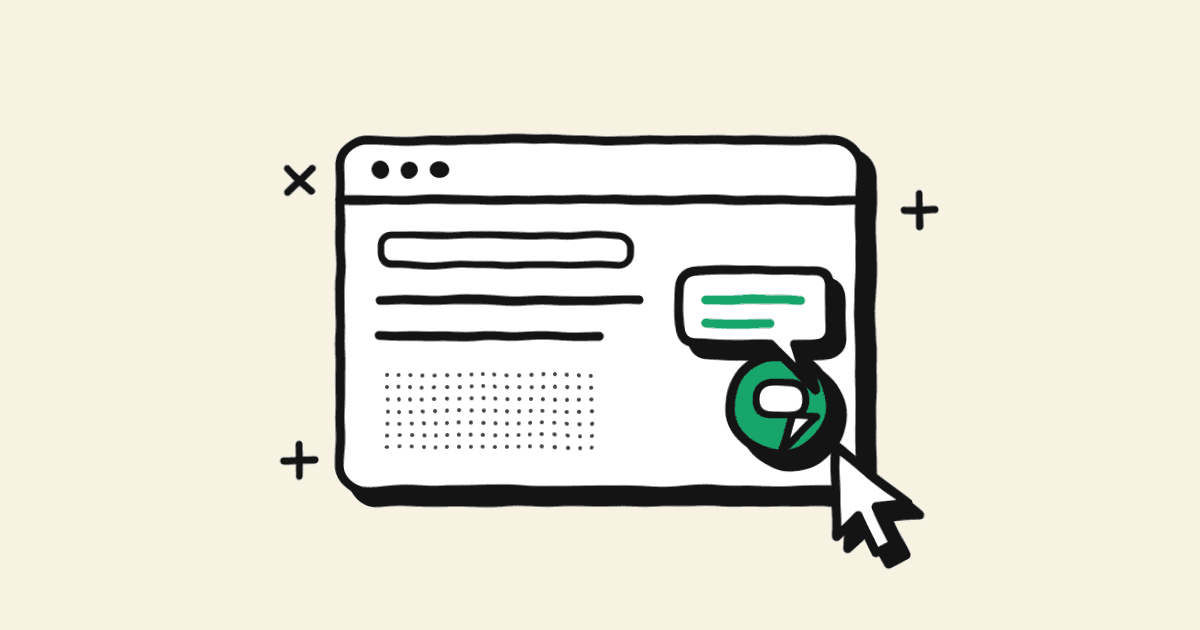
To add WhatsApp to your website, create a link in the format https://wa.me/27XXXXXXXXX, using your number in international format with no plus sign and no leading zero, and put it behind a button or icon. That link is all a basic WhatsApp chat button is, and you can have one live in five minutes.
For a business with a team answering customers, the link is the starting point. The harder questions come afterwards: where the button should go, what happens when someone taps it on a work laptop, and who answers when hundreds of people tap it on the same Monday morning. This guide works through four options, from a plain link to a website chat widget that routes into the same shared inbox as WhatsApp, Instagram, Messenger and email, and how to measure what each one brings in.
Four ways to add WhatsApp to a website
| Option | Effort | Good for | Limit |
|---|---|---|---|
| wa.me link or button | Five minutes | Contact pages, emails, social bios | Only as good as the inbox behind it |
| QR code | Five minutes | Desktop visitors, branches, packaging | Needs a phone to scan |
| Floating button | Under an hour with a plugin or a few lines of code | Every page of the site | Can cover other buttons on mobile |
| Chat widget with a shared inbox | A short setup with a platform | Teams handling many conversations a day | Has a monthly cost |
Option 1: a wa.me link, step by step
WhatsApp's own click to chat instructions give the format as https://wa.me/ followed by your full phone number in international format, leaving out any zeros, brackets or dashes. Here's how that works for a South African number.
Step 1: write your number in international format
Start with 27 (South Africa's country code), then your number without its leading 0. Leave out the plus sign, spaces, brackets and dashes.
| How you'd write it | In a wa.me link |
|---|---|
| 082 555 0123 | https://wa.me/27825550123 |
| +27 82 555 0123 | https://wa.me/27825550123 |
| +27 (0)82 555-0123 | https://wa.me/27825550123 |
The most common mistake we see is keeping the 0: wa.me/270825550123 won't find your account. The second is a plus sign or a space that slipped in when someone copied the number from the website footer.
Step 2: add a prefilled message (optional)
Add ?text= after the number, followed by your message in URL-encoded form. URL encoding swaps characters that can't sit in a web address for codes: a space becomes %20, a comma %2C, an ampersand %26, a question mark %3F and a line break %0A.
So the message "Hi, I'd like a quote for the Oak couch" becomes:
https://wa.me/27825550123?text=Hi%2C%20I'd%20like%20a%20quote%20for%20the%20Oak%20couch
You don't need to encode by hand. Any free URL encoder will do it, and if you have a developer, JavaScript's encodeURIComponent does the same job. The customer can still edit the message before sending, but most people just press send.
Be careful not to leave the number out. A link like wa.me/?text=... is valid, but it asks the customer to choose one of their own contacts to send the message to, which isn't what you want.
Step 3: put the link behind a button
Any button, image or text link on your site can point to the wa.me address. Label it with what happens next, such as "Chat to us on WhatsApp", and use the WhatsApp icon so people recognise it without reading.
Step 4: test on a phone and a computer
Tap it on your own phone and check that the right chat opens with the right message. Then click it on a laptop, because the desktop experience is different (more on that below).
Option 2: a QR code
If you use the WhatsApp Business app, it already has a QR code for your number. You'll find it under Tools and then Short link, and according to WhatsApp's help centre it won't expire unless you reset it or delete the account. You can also set a message that's filled in when someone opens your short link.
If you're on the API, any QR code generator can turn your wa.me link into a code. Either way, a QR code helps in two places: on desktop pages, where the visitor has their phone in their hand but not WhatsApp on their computer, and anywhere offline, like a shop counter, delivery box or invoice.
Option 3: a floating WhatsApp button
A floating button sits in the corner of every page, usually bottom right. Most website builders and e-commerce platforms have a plugin for this, and a developer can add one with a few lines of code using the same wa.me link.
Things to get right:
- Check it on a phone. On small screens floating buttons often cover the cookie banner, the add-to-cart button or the chat widget you already have.
- Change the prefilled message per page. On a product page, include the product name, so the chat starts with "Hi, I'm asking about the Oak couch" and your team doesn't have to ask.
- Show your hours. If nobody answers after 5pm, say so on hover or next to the button, or have an automated reply ready.
Option 4: a chat widget that routes to a shared inbox
Some visitors don't want to leave your site and open WhatsApp, especially on a work laptop. A website chat widget lets them type right there. The part that matters for a team is where those chats go.
If website chat lives in one tool, WhatsApp on a phone, Instagram DMs in another app and email in a shared mailbox, the same customer can be talking to three of your people without any of them knowing. We see this constantly with multi-branch businesses. The fix is one inbox where every channel lands:
- Every channel in one place. Website chat, WhatsApp, Instagram, Messenger and email arrive in the same shared team inbox, with the customer's history attached.
- A first reply in seconds. An AI agent answers the repeat questions (stock, delivery, hours, prices) and collects details before a person steps in.
- Routing. Chats go to the right branch, region or team based on the page they came from or what the customer asked.
- Assignment and visibility. Each chat has an owner, so two agents don't answer the same customer and nothing sits unanswered over a weekend.
That's how we set it up in Syncli: the website widget and WhatsApp feed the same inbox as Instagram and email, with the AI agent taking the first reply and routing to your team.
Where to put WhatsApp buttons
- Contact page. The obvious one, next to your phone number and email.
- Product and service pages. This is where buying questions happen. Prefill the product name.
- Cart and checkout. A small "Questions about delivery or payment?" link catches people who would otherwise abandon. Keep it low-key so it doesn't pull people away from paying.
- Pricing or quote pages. People comparing options often want to ask one question before committing.
- Order confirmation emails and invoices. Give customers a quick way to ask about their order.
- Footer and mobile menu. So it's always one tap away.
Mobile vs desktop: what happens when someone clicks
On a phone, the wa.me link opens the WhatsApp app straight into a chat with your business, with the prefilled message in the box.
On a computer, it opens a WhatsApp web page showing your number and the message, with two choices: Open app (if WhatsApp Desktop is installed) or Continue to WhatsApp Web. If they're not already logged in to WhatsApp Web, they have to scan a code with their phone first. Plenty of people give up at that point.
So on desktop pages, I'd do one of two things: show a QR code next to the button so they can scan it with their phone, or offer the website chat widget as well, so they can talk to you without leaving the page.
What happens when lots of people click
On a site with real traffic, a WhatsApp button will bring in chats. The question is who answers them.
With the free WhatsApp Business app, every chat goes to one number on one phone. WhatsApp allows up to four linked devices and one phone at a time, so a few people can see the chats, but there's no way to assign a chat to someone, see who's replying or stop two people answering the same customer. In our experience, this is where enquiries start falling through the cracks. And if the number is on a staff member's phone, the customer history leaves when they do.
On the WhatsApp Business API with a shared inbox, any number of people can answer from the same number, chats are assigned and tracked, and automated replies handle the first response at 2am. The cost is a platform fee plus Meta's message fees: messages customers send you are free, and from 1 October 2026 each number gets 1,000 free service replies a month before Meta charges. The pricing guide has the details. If you're making the move, see how to get the WhatsApp Business API in South Africa.
Privacy and POPIA when you publish a WhatsApp number
A few things to think about before you put a number on every page (this is practical guidance, not legal advice):
- Use a business number, not someone's personal cellphone. A person's phone number counts as personal information under the Protection of Personal Information Act. Publishing an employee's own number exposes them to spam and calls at all hours, and makes things messy when they leave.
- Expect the number to be scraped. Anything on a public web page ends up on lists. A dedicated business number keeps that noise away from staff.
- Treat incoming chats as customer data. Names, numbers and anything people tell you in the chat are personal information. Say in your privacy policy how you use WhatsApp conversations, and limit who can see them.
- A chat isn't consent to marketing. Someone asking about a product hasn't agreed to receive promotions. Ask them, record the yes, and only then add them to broadcasts.
How to measure WhatsApp button clicks
UTM tags don't travel into WhatsApp. When someone taps the button, your analytics loses sight of them. So you measure in two places: the click on your website, and the chat in your inbox.
- Track the click as an event. In Google Analytics, PostHog or whatever you use, fire an event such as whatsapp_click whenever the button is tapped, with the page and the button position (header, product page, floating button) as properties.
- Keep UTMs on the page. The visitor's UTM tags from your ads or emails are still on the page when they click, so your analytics can tell you which campaign brought in the people who tapped the button.
- Add a short reference to the prefilled message, like "(web: product page)". Customers can delete it, but most don't, and it lets your inbox tag the chat by source.
- Compare clicks with chats started. Clicks will always be higher, because some people open WhatsApp and don't send. A big gap on desktop usually means the WhatsApp Web step is losing them.
If you're also running ads that open WhatsApp directly, those come with their own tracking from ad to sale. I cover that in the guide to Click-to-WhatsApp ads.
Which option I'd start with
If you need something live today, put a wa.me button on the contact and product pages, with a QR code on desktop. It's a fine first step and it tells you how much demand there is.
For a team handling hundreds of conversations a day across branches or regions, I'd go straight to a website chat widget and WhatsApp on the API, feeding one shared inbox with your Instagram, Messenger and email, an AI agent on the first reply and routing to the right team. At that volume the button stops being the hard part and answering well becomes the job. Our WhatsApp for sales page shows what that looks like day to day, and you can make those first replies more useful with interactive buttons and lists.
If you'd like help working out which setup fits your site and team, book a private strategy review. Syncli plans start from R1,800 a month, with Meta's fees passed on at cost.
Frequently asked questions
Yes, with a platform that supports both. In Syncli, website live chat, WhatsApp, Instagram and email land in one shared inbox, so agents see the customer's history whichever channel they used.