







A shared email inbox next to WhatsApp and chat
Bring your sales and support mailboxes into Syncli, so every email has an owner, sits on the same customer record as their chats, and never gets forwarded around the office again.


 100+
Trusted by 100+ brands
 We finished 7th in Cape Town
 Approved by Meta for the official WhatsApp API
 Your customer data handled under SA law


Queries automated
Most customer questions repeat, on every channel, so let AI answer them
Faster first response
How email works in Syncli
Your shared mailboxes, run like the rest of your customer conversations.
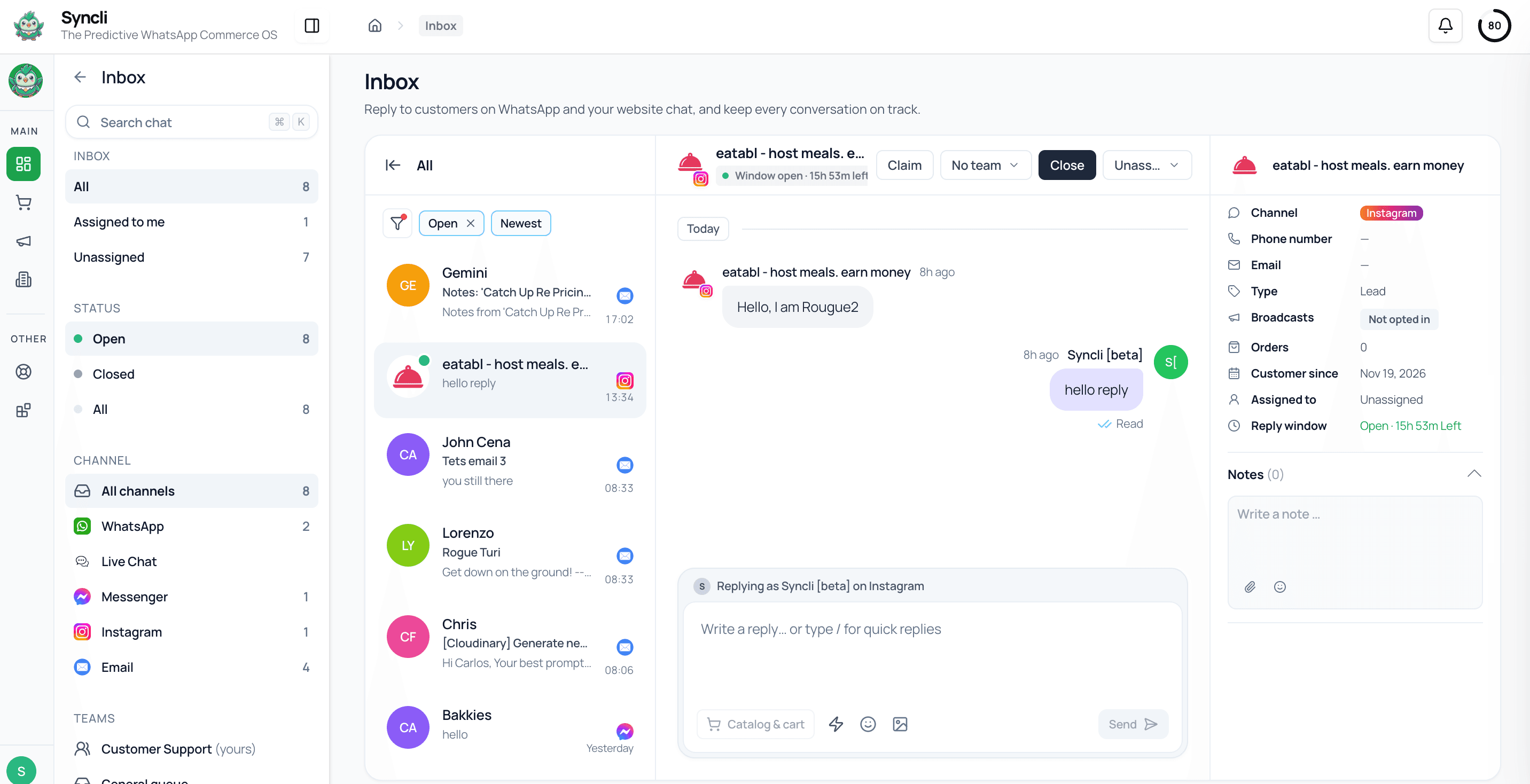
Your existing addresses, in one inbox.
We connect your shared mailboxes during onboarding, so customers keep emailing the addresses they already know and your team answers from Syncli.
- Keep your existing addresses
- Connected with our team
- Desktop and mobile


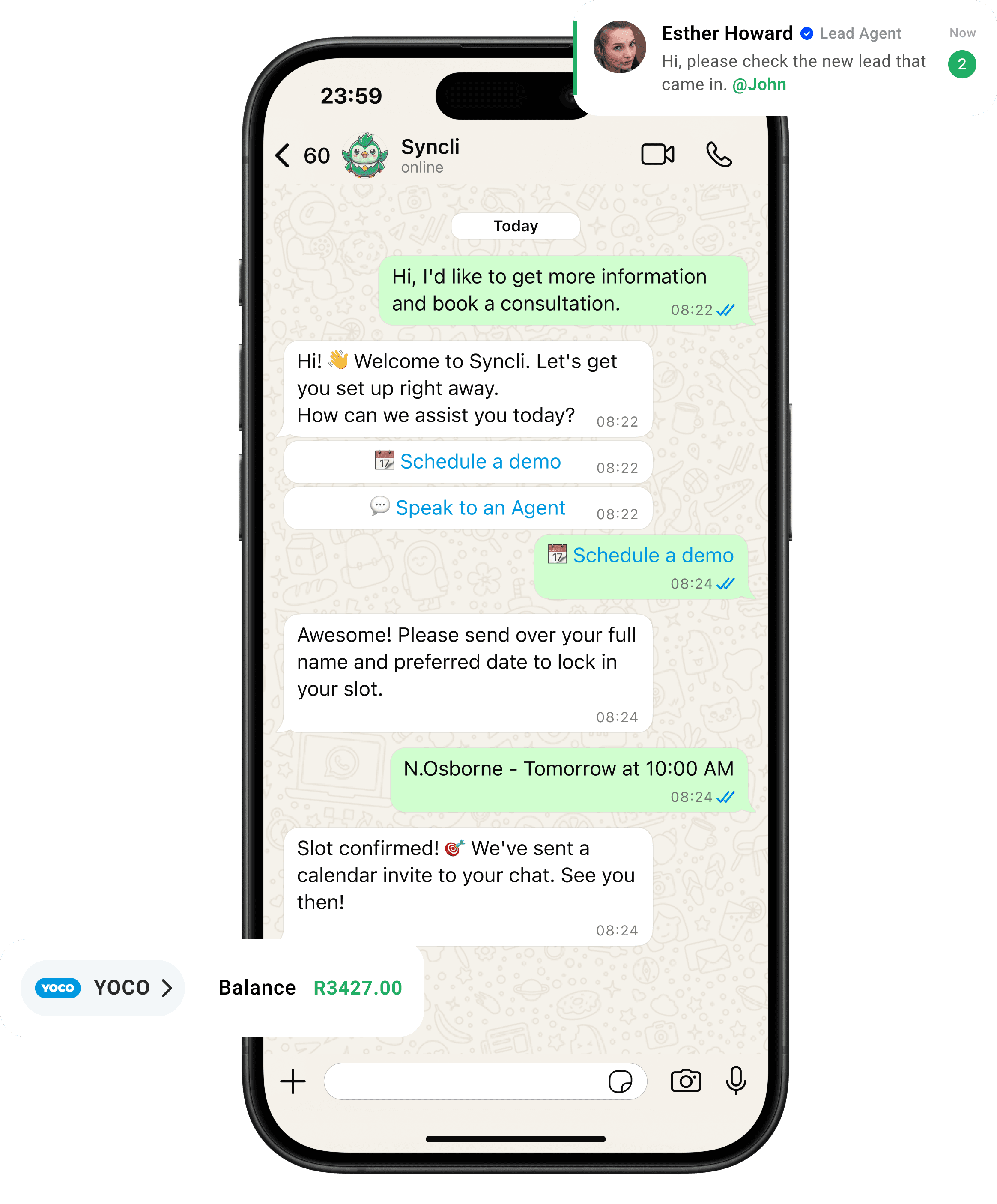
one customer, every channel
Email and chat, finally in the same place.
Customers email a quote request, then WhatsApp to ask when it's coming. In Syncli both messages land on one contact record, so the agent who answers knows what's already been said.
No more "did anyone answer this?"
Shared mailboxes break down at volume: two people reply, or nobody does, and the customer's history is split across personal inboxes. Assignment and one record per customer fix both.
- Every email assigned.
- One history per customer.
- Email in your reporting.
Channels in one inbox

Email still matters next to chat
Most of the businesses we work with moved a large share of their customer conversations to WhatsApp, and they're glad they did. Email didn't go away, though. Customers still email for quotes, invoices, account queries, complaints and anything with an attachment. Some customers simply prefer it, and plenty of leads still come in through a sales address on your website.
So most teams end up running two worlds: chat in one tool, email in another, and the customer's story split between them. Syncli brings email into the same team inbox as WhatsApp, Instagram, Messenger and web chat, so there's one place to work and one record per customer.
This page is for teams that run a sales or support address as a shared queue. Personal email between colleagues, suppliers and partners can stay where it is.
Why shared mailboxes break at volume
A shared sales or support mailbox works fine with two people. With ten agents across three branches it starts to creak:
- Nobody owns the email. Two agents reply to the same customer, or each assumes the other did.
- Forwarding becomes the workflow. Emails bounce between people with "can you handle this?" on top, and the customer waits.
- History lives in personal inboxes. When someone is on leave or leaves the business, their threads go with them.
- Managers can't see the queue. There's no easy way to know how many emails are open or how long customers are waiting.
None of this is anyone's fault. Email clients were built for individuals, not for a team sharing a customer queue. Once a mailbox handles more than a few dozen customer emails a day, it needs the same things a chat queue needs: an owner for every conversation, a way to hand over cleanly and a view of what's waiting.
How email works in Syncli
Customers keep emailing the addresses they already use. Those emails come into Syncli, where each one is assigned to a person and routed to the right team, such as sales, support or a particular branch. Teams see the conversations that belong to them, so the Johannesburg showroom isn't wading through Cape Town's enquiries.
When an email needs someone else, agents reassign it and leave an internal note rather than forwarding the thread. The customer sees one reply from your business, and your team sees exactly who did what. Every agent has their own login, and every plan includes unlimited seats, so adding people never means sharing a password.
A typical day looks like this:
- A quote request arrives at your sales address and is routed to the sales team for the customer's region.
- The salesperson who picks it up sees the customer's earlier WhatsApp chat about the same product, and replies with the quote.
- When the customer emails back with a delivery question, the conversation is reassigned to support with a note, not forwarded.
- The manager can see the whole thread, who handled each step and how long the customer waited.
One customer across email and chat
Customers don't think in channels. A buyer might email for a quote, WhatsApp to ask when it's ready, and reply to an Instagram story a month later. In Syncli, those conversations sit on one contact record with their orders, bookings, tags and notes, so whoever answers next has the full picture.
It also lets you move conversations to the channel that works best. Email suits documents and formal records. Chat gets answered: WhatsApp messages are opened far more often than email. Your team can pick the right channel for each step without losing track of the customer. Quick-reply templates keep answers consistent whether they go out by email or chat. If you're adding chat to your website for the first time, see our guide to adding a WhatsApp button to your website, and the live chat page.
AI help and reporting
On every plan, the AI inbox co-pilot suggests replies for your team and can summarise long conversations, which helps on email threads that have gone back and forth for weeks. On the chat channels, the AI agent takes the first reply and hands over to a person when it should.
Because email sits in the same inbox as everything else, it shows up in the same reporting. You can see leads, sales and support conversations across email and chat together, instead of guessing how busy the mailbox really is.
For managers, that means one view of the customer workload. If support emails are piling up while WhatsApp is quiet, you can see it and move people across, instead of finding out from a customer complaint.
Getting set up, and what it costs
Our onboarding team connects your mailboxes with you, alongside WhatsApp and your other channels, and sets up teams and routing to match how your business works.
- The mailboxes you want in Syncli, such as sales, support or accounts.
- Who should own what, so emails can be routed to the right team or branch.
- Your standard answers, so the team can turn them into quick-reply templates.
Syncli is priced in rand with unlimited seats on every plan. Pro starts at R1,800 a month excluding VAT, and Business, from R5,300 a month, adds AI agents and free onboarding. Meta's WhatsApp message fees are passed on at cost. See pricing.
See your mailboxes in the Syncli inbox.
Book a private strategy review and we'll show you how email, WhatsApp and your other channels work together for your sales and support teams.

- Personalised walkthrough
- Routing planned for your teams
- No commitment
FAQs
Questions about Email.
Yes. We connect your shared mailboxes during onboarding, so customers keep emailing the addresses they know and your team answers from the same inbox as WhatsApp, Instagram, Messenger and live chat.
Compare
Syncli vs a shared mailbox
 Shared mailbox