WhatsApp Business calling, inside your team inbox
Customers tap the call button in your WhatsApp chat and it rings in Syncli. Your team answers in the browser, calls customers back from the same thread, and keeps recordings and transcripts with the conversation.


 100+
Trusted by 100+ brands
 We finished 7th in Cape Town
 Approved by Meta for the official WhatsApp API
 Your customer data handled under SA law


Calls customers start
Meta doesn't charge for WhatsApp calls your customers start
Hardware to install
How WhatsApp calling works in Syncli
Voice calls on the same WhatsApp number as your chats, handled by the same team, in the same inbox.
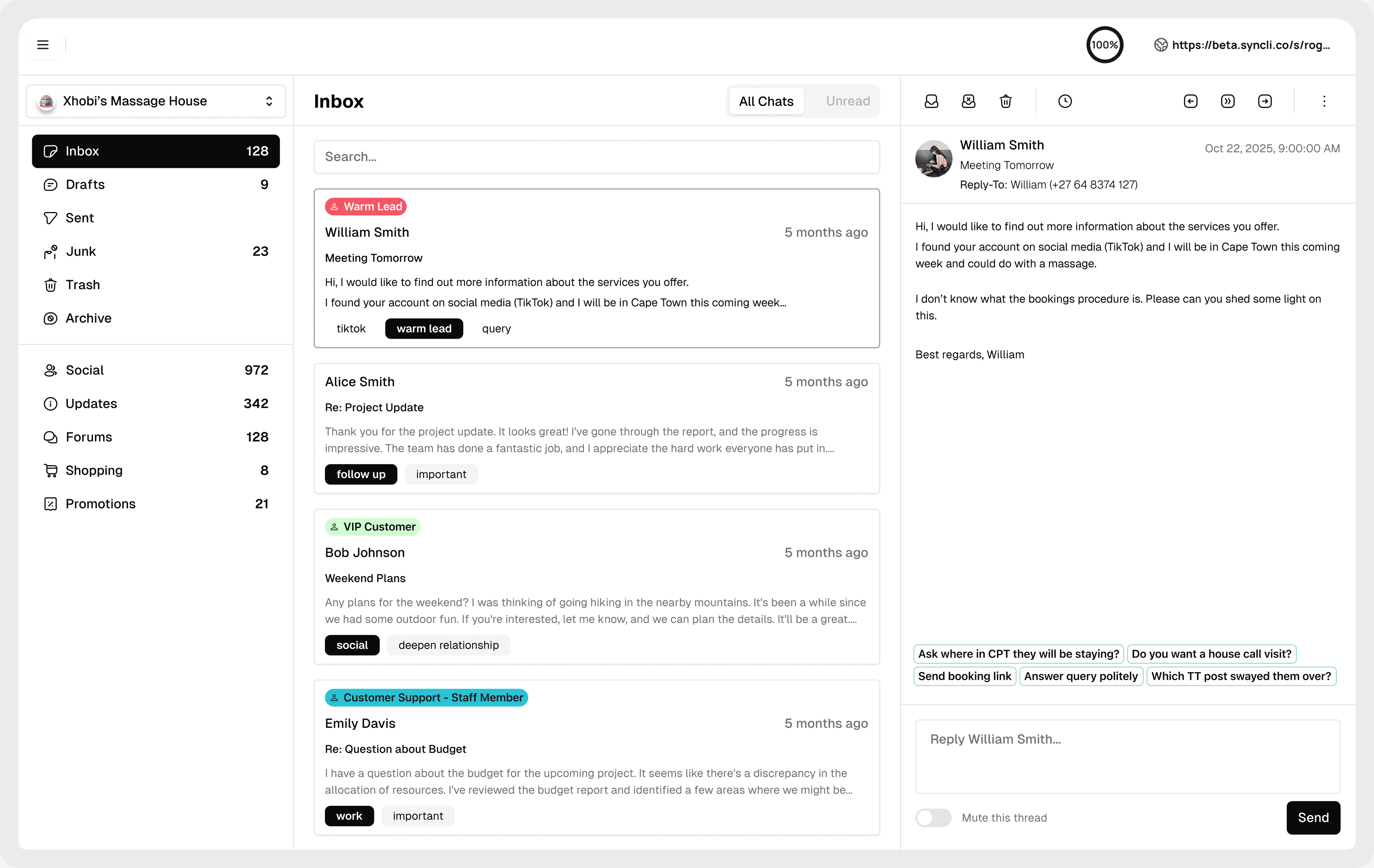
It rings where your team already works.
When a customer taps the call button in your WhatsApp chat, the call rings in Syncli with their name and a link to the conversation, so whoever answers sees the chat history before saying hello.
- Rings in the browser
- Caller's chat one click away
- No desk phones or PABX

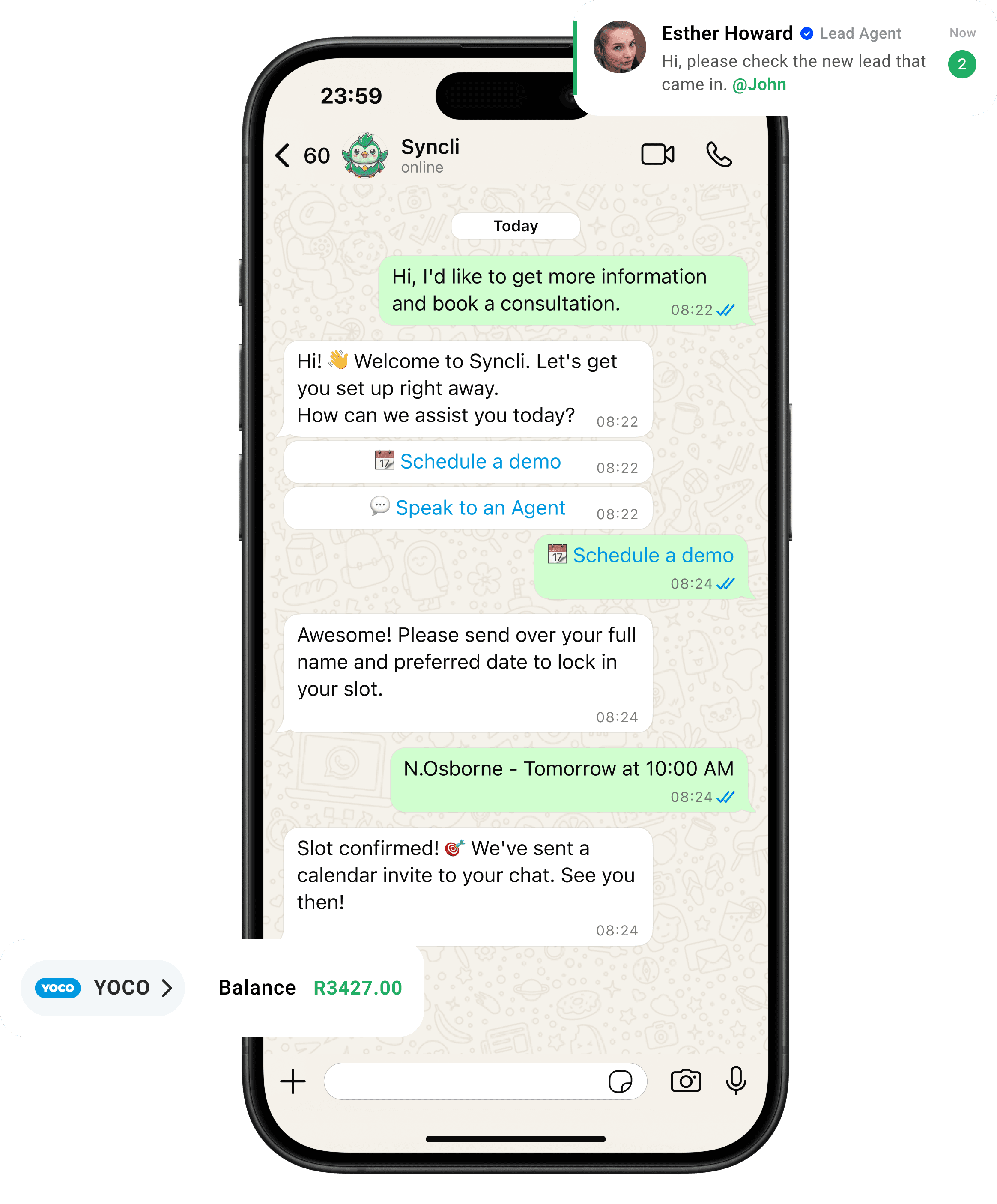
from chat to checkout
The shortest line between 'Hello' and 'Done.'
Your customers are already on WhatsApp, don't send them away to slow contact forms or email threads. Syncli keeps the entire journey inside the chat, making it seamless for leads to qualify, decide, and pay in seconds.
Phone support without a phone system.
Most customers would rather message, but some conversations need a voice: a complaint, a complicated quote, a nervous first-time buyer. WhatsApp calling gives them that on the number they already chat to, without your team juggling a second system.
- Same number for chats and calls.
- Answered in the browser.
- Recorded and transcribed when you choose.
Number for chats and calls

What is WhatsApp Business calling?
WhatsApp Business calling lets customers make voice calls to a business's WhatsApp number, and lets the business call them back, over the internet instead of the phone network. It runs on Meta's official Calling API for the WhatsApp Business API, so it works with a shared team inbox rather than on one person's phone.
For customers, it's the call button they already know from WhatsApp. For your team, calls arrive in Syncli next to the chat, so the person who answers sees who is calling and what they've already said.
What WhatsApp calls cost
Under Meta's Calling API pricing, calls your customers start are free. Calls your business starts are charged by Meta per minute, billed in six-second pulses, at a rate that depends on the country of the number you call. The message asking a customer for permission to call is charged like any other WhatsApp message.
Syncli passes Meta's fees on at cost, and every plan includes unlimited seats, so everyone who answers calls is covered. See pricing and our WhatsApp API pricing guide.
When calling beats chatting
- Complaints and escalations: a call calms a frustrated customer faster than a long thread. See WhatsApp for support teams.
- High-value sales: a quick call closes a car, a policy or a large order that's stuck on questions. See WhatsApp for sales teams.
- Customers who prefer to talk: older customers and complex cases often want a voice, on the number they already trust.
- Replacing a busy switchboard: branches and teams answer from the shared inbox instead of transferring calls between desk phones.
Recording calls and POPIA
Recording is a choice you make per call, not a default. If you record, tell customers at the start of the call, and keep recordings only as long as you need them for the purpose you told them about. Because recordings and transcripts are stored with the conversation in Syncli rather than on staff phones, access is controlled and the record stays with the business.
From the blog
Related guides.

Customer service
WhatsApp banking customer service for South African banks, lenders and insurers
WhatsApp banking customer service at scale: what to handle in chat, identity checks, what never to send, payment reminders under Meta's rules and escalation.
 Lyle Timotheus· 9 min read
Comparisons
WhatsApp for car dealerships: the best solution providers compared (2027)
WhatsApp for car dealerships compared: Syncli, Cue, Web1on1, Keyloop, respond.io, Wati and Clickatell on price, seats, DMS links and payments (Nov 2026).
Lyle Timotheus· 9 min readIndustries
Service appointment reminders: why car dealerships should send them on WhatsApp
Service appointment reminders on WhatsApp for dealerships: a reminder schedule, utility vs marketing, job card updates, payment links and 7 templates.
Lyle Timotheus· 8 min readSee WhatsApp calling in the Syncli inbox.
Book a private strategy review and we'll show you how calls and chats work together for your team, from the first ring to the transcript.

- Live calling demo
- Setup on your own number
- No commitment

FAQs
Questions about WhatsApp calling.
Yes, with WhatsApp calling turned on. Customers tap the call button in your WhatsApp chat as they would with any contact, and the call rings in the Syncli inbox, where your team answers it in the browser.
Compare
WhatsApp calling vs a traditional phone line
 Phone line or PABX