AI agents for customer service and sales, on every channel
Syncli Agents give every WhatsApp, Instagram, Messenger and website chat a first reply in seconds, from your own information. They qualify leads, answer the repeat questions and send payment links, then pass the chat to the right person in your team inbox.


 100+
Trusted by 100+ brands
 We finished 7th in Cape Town
 Approved by Meta for the official WhatsApp API
 Your customer data handled under SA law


First replies
AI agents answer at any hour and hand over to your team in the same inbox
Extra AI agent licence fee
How Syncli Agents handle a conversation
From the first message to the moment a person takes over.
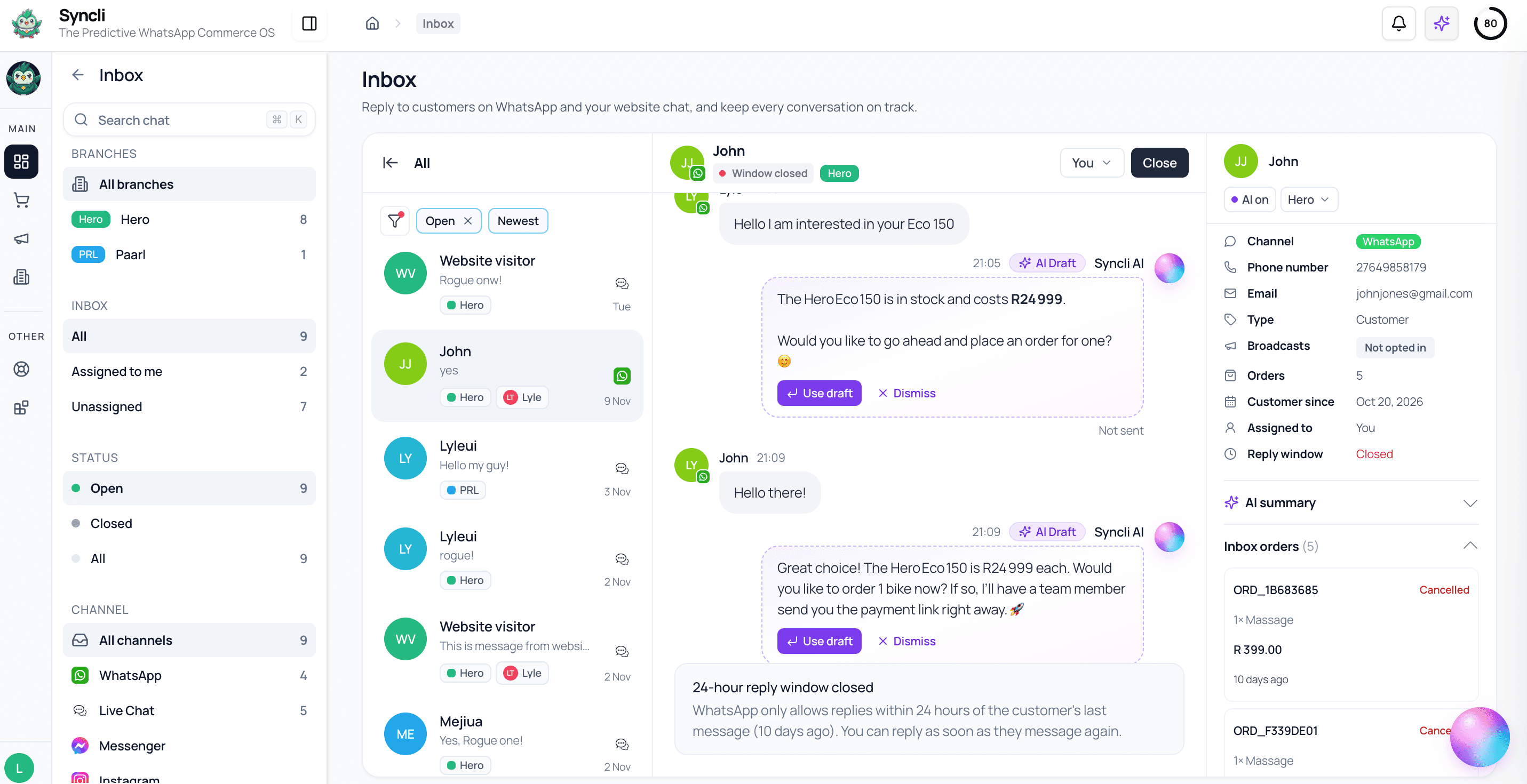
Trained on your information, not the internet.
We set up the agent with your FAQs, products and policies during onboarding. It answers from that information rather than guessing, and checks your live stock before it answers a product question.
- Your FAQs, products and policies
- Checks stock before answering
- Set up with our onboarding team


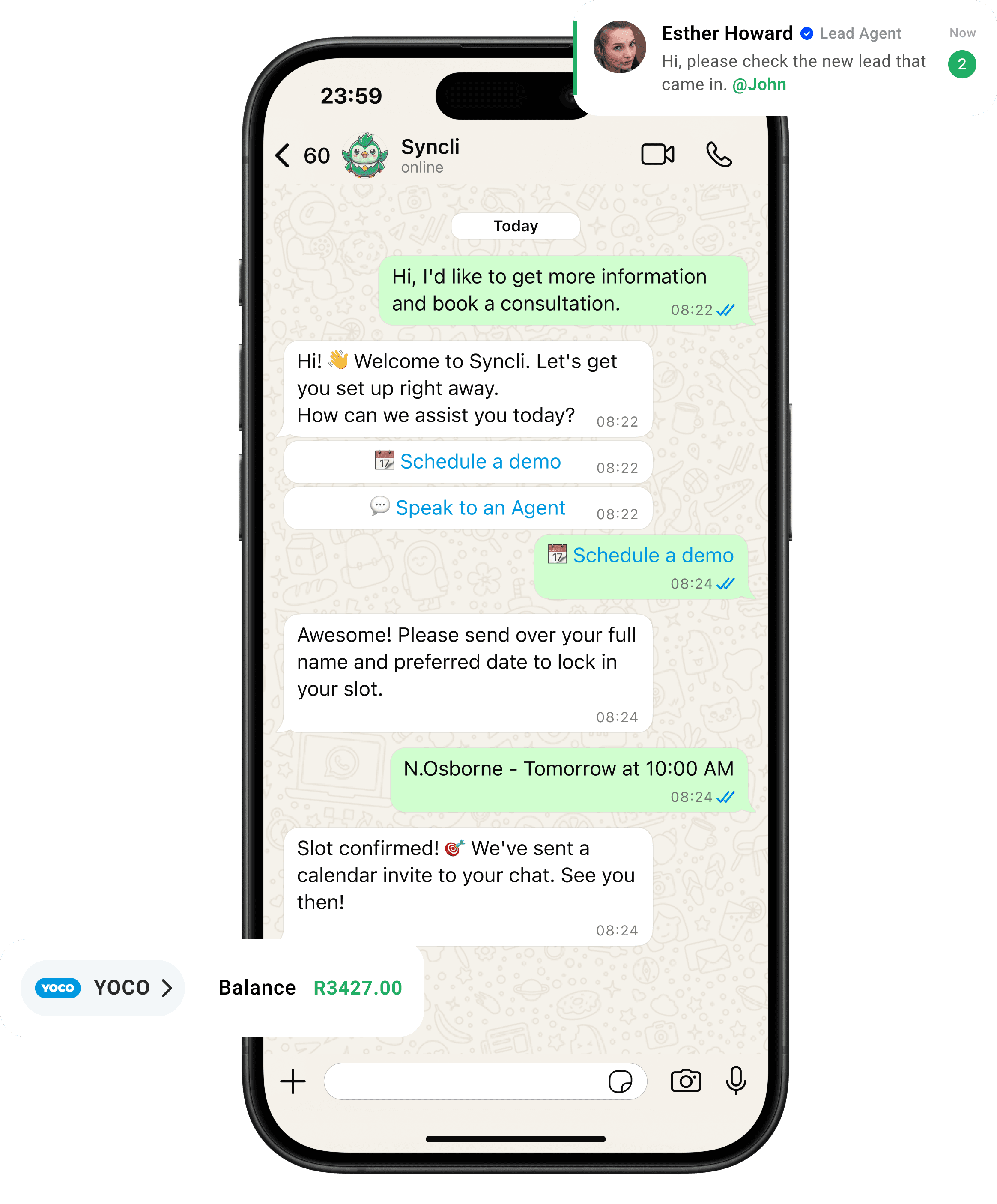
AI and people, one inbox
The AI takes the first reply. Your team takes it from there.
AI agents and your people work the same queue. The agent clears the routine questions and qualifies the leads, so when a salesperson or support agent opens a chat, the details are already there and the customer is ready to talk.
Keep your best people off the repeat questions.
In a busy B2C team, a large share of the day goes on the same handful of questions: hours, prices, delivery, order status. An AI agent answers those from your information, so your team spends its time on sales, complaints and anything that needs judgement.
- A first reply at any hour.
- Repeat questions answered.
- People on the chats that need them.
Chat channels with AI on the first reply

What an AI agent does for a customer service team
An AI agent for customer service reads a customer's message in plain language, answers from your own business information and takes the next step: it asks a qualifying question, offers a booking slot or sends a payment link. When a conversation needs a person, it hands over with the context attached.
That last part matters most for a business with a team. An agent that answers well but hands over badly just moves the frustration. In Syncli, every AI conversation lives in the same shared team inbox your people work from, so a handover is a routing step and the customer carries on where they left off.
If you mainly want automation on WhatsApp, including rule-based chat flows with menus and buttons, see our WhatsApp AI chatbot page. This page covers AI agents across all your chat channels, for sales and support together.
How to launch an AI agent in three steps
Most of the work is deciding what the agent should know and when it should step aside. With Syncli's onboarding team, a launch follows three steps:
- 1. Connect your information and channels. Share your FAQs, product and price lists, policies and service areas, and connect WhatsApp, Instagram, Messenger and your website chat. The agent answers from this information and checks live stock before it answers a product question.
- 2. Set its job and the handover rules. Decide which conversations the agent handles from start to finish (FAQs, bookings, order lookups, payment links), which questions it asks to qualify a lead, and when it routes the chat to a person, a team or a branch. Our guide to what to automate and what to escalate helps you draw the line.
- 3. Test it on real questions, then go live. Put your most common customer questions to the agent before customers see it, fill the gaps in its information, then switch it on. Many teams start with after-hours chats, then extend it to the whole day once they've read a few weeks of its conversations.
On the Business plan this happens during your 60 days of dedicated onboarding. For where AI agents pay off first, read 10 reasons your business needs a WhatsApp AI agent and how AI agents improve every stage of your sales funnel.
Jobs to give your AI agent
Start with the conversations your team has fifty times a week. These are the jobs Syncli Agents handle, and the point at which each should go to a person:
| Job | What the AI agent does | Hand over when |
|---|---|---|
| Lead qualification | Replies to ad and website leads and asks what your sales team would ask: product, budget, timing, nearest branch | The lead is ready to buy or asks for a salesperson |
| FAQs | Answers hours, prices, delivery areas and policies from your information | The answer isn't in your information or needs judgement |
| Bookings | Offers a branch, service and slot, with a deposit where you take one | The request falls outside your normal booking rules |
| Order status | Looks up orders and bookings for the customer | There's a problem: a late delivery, a refund or a complaint |
| Payment links | Checks stock, builds the order and sends a Yoco, Payfast or Paystack link | The customer wants a custom quote or a discount |
| After-hours cover | Answers at night and over weekends, and leaves the rest ready for the morning | Anything your policy says a person must handle |
For an AI sales agent, the qualifying questions do the heavy lifting. A lead from a Click-to-WhatsApp ad who has already said which product, which branch and when they want to buy is a far better use of a salesperson's time than an unread "Hi, is this available?". See Syncli for sales teams and for support teams.
Decide your handover rules before you go live
The setups that go wrong are usually the ones where nobody agreed when the AI should step aside. Write these down with your team leads before launch, then set them up in the agent and your routing with our onboarding team:
- The customer asks for a person. Always hand over, straight away.
- Complaints, refunds and disputes. Route to support with the order details attached.
- Ready buyers. Route to sales, or to the nearest branch for multi-branch teams. See multi-branch routing.
- Anything regulated or personal. Clinical questions at a medical practice, advice at an insurer, credit at a dealer: the agent collects the basics and a qualified person answers.
- Questions your information doesn't cover. Hand over, then add the answer to the agent's information so it can handle the next one.
Syncli Co-pilot: help for your team, on every plan
Syncli Agents talk to customers. Syncli Co-pilot works for your team: it suggests replies right in the inbox, and AI prompts and chat summaries condense a long conversation so an agent picking up a handover can read the gist in seconds instead of scrolling.
Syncli Co-pilot, AI prompts and chat summaries are included on every Syncli plan, Pro included. That makes Syncli Co-pilot the natural starting point for a team that isn't ready to let AI reply to customers on its own, and it's the AI you'll use on email, where your team answers and Syncli Co-pilot suggests replies.
Guardrails: keeping the agent accurate and on brand
- Your information only. The agent is trained on your FAQs, products and policies and answers from them. Keep them current: a price change on your website should be a price change in Syncli the same day.
- Live stock. For product questions the agent checks stock before it answers, so it doesn't sell what you don't have.
- Every conversation visible. AI chats sit in the inbox with all the others. Team leads can read what the agent said and take over any chat.
- The official WhatsApp API. Syncli is an official Meta Tech Provider on the WhatsApp Cloud API, so automated replies follow Meta's rules and don't put your number at risk. Our guide to avoiding a WhatsApp ban explains what does.
- Records in one place. Conversations belong to the business, not to staff phones, which helps with record-keeping and POPIA. Enterprise adds personal information masking, role-based access control and single sign-on.
Channels the AI agent covers
| Channel | AI agent | Your team |
|---|---|---|
| Answers first, on the official WhatsApp Business API | Takes over in the inbox | |
| Instagram DMs | Answers first, including ad leads | Takes over in the inbox |
| Facebook Messenger | Answers first, including Click-to-Messenger ads | Takes over in the inbox |
| Website live chat | Answers visitors while they're on your site | Takes over in the inbox |
| Syncli Co-pilot suggests replies for your team | Answers, with Syncli Co-pilot suggestions and summaries |
Every channel lands on one contact record, so a customer who asked the AI agent a question on Instagram and then emails about delivery has one history, not two.
Measuring whether it's working
Syncli's lead, sales and support dashboards show conversations across every channel. Alongside them, a team lead should read a sample of AI conversations each week for the first month and ask four questions:
- Which questions did the agent answer well, and which did it hand over that it could have answered with better information?
- Did any handover reach the wrong team or branch?
- Are qualified leads reaching salespeople with the details they need?
- Are customers getting a payment link or booking at the point they're ready, or being made to wait for a person?
Each gap is usually a missing FAQ, an outdated policy or a routing rule, and each fix makes the agent useful on more of your conversations.
Which plan includes Syncli Agents
| Plan | AI for customers | AI for your team |
|---|---|---|
| Pro, R1,800/month | Not included | Syncli Co-pilot, AI prompts and chat summaries |
| Business, from R5,300/month | Syncli Agents | Syncli Co-pilot, AI prompts and chat summaries |
| Enterprise, custom | Syncli Agents, plus custom automations and integrations | Syncli Co-pilot, AI prompts and chat summaries |
Syncli Agents are included on Business and Enterprise at no extra licence fee. Prices exclude VAT and every plan has unlimited seats. Business also includes free onboarding with 60 days of dedicated support, which is when we set up your Syncli Agents, routing and automations with you. See pricing or book a private strategy review.
For how an AI agent fits a specific kind of business, see our industry pages for retail, automotive, healthcare, education and travel.
From the blog
Related guides.

AI
10 reasons your business needs a WhatsApp AI agent
A WhatsApp AI agent answers customers in seconds, qualifies leads and hands over to your team. 10 practical reasons to use one, and when you shouldn't.
 Lyle Timotheus· 9 min read
AI
How AI agents improve every stage of your sales funnel
AI agents for sales: what they do at each funnel stage, from capture and qualifying to payment and re-engagement, what stays human and how to measure it.
Lyle Timotheus· 8 min readCustomer service
Customer service automation: what to automate, what to escalate and what it costs to get wrong
Customer service automation for B2C teams: a decision table for what to automate, escalation rules, a costed example and the mistakes that cost you customers.
Lyle Timotheus· 8 min readComparisons
The best AI customer service platforms for high-volume support teams (2027)
The best AI customer service platforms for high-volume teams in 2027, compared on AI pricing, channels and fit: Syncli, Intercom, Zendesk, Freshdesk and more.
Lyle Timotheus· 10 min readAI
How AI is changing customer service in 2027
AI customer service in 2027: what the research shows, what's hype and what's real, the risks of wrong answers and POPIA, and a 90-day rollout plan.
Lyle Timotheus· 8 min readAI
AI customer service in hospitality and travel: a 2027 guide
AI customer service for hospitality and travel in 2027: what AI handles well, what needs a person, guardrails against costly answers and a 90-day rollout.
Lyle Timotheus· 8 min readSee an AI agent work through your own questions.
Book a private strategy review. Bring your most common customer questions and we'll show you what the agent can answer, where it should hand over, and which plan fits.

- Automation plan for your FAQs
- Handover planned for your teams
- No commitment

FAQs
Questions about AI agents for business.
An AI agent reads customer messages in plain language, answers from your own FAQs, products and policies, and takes the next step, such as qualifying a lead, offering a booking slot or sending a payment link. When a conversation needs a person, it hands the chat to the right team with the conversation attached.
Compare
An inbox with AI agents vs a team-only inbox
 Team only